


Stanford Health Care MyHealth
4.41.16K Reviews
App Specs
- Version
- 12.3.1
- Updated On
- License
- Free
- Downloads
- 100,000+
- Developer
- Stanford Health Care
- Categories
- Medical
- Platform
- Android
Screenshots
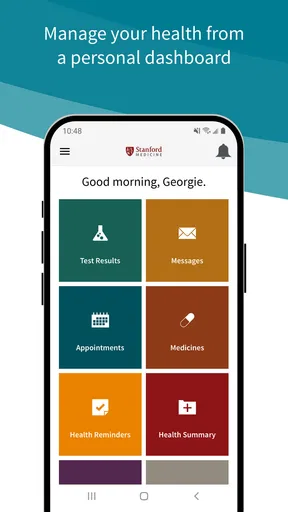
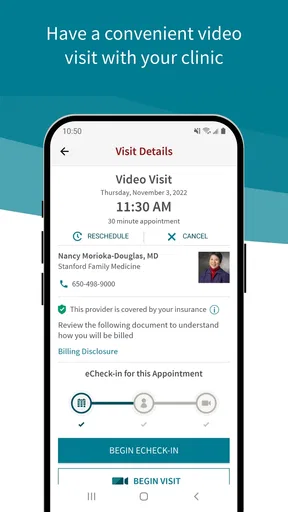
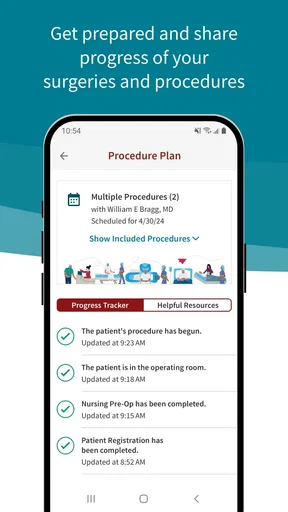
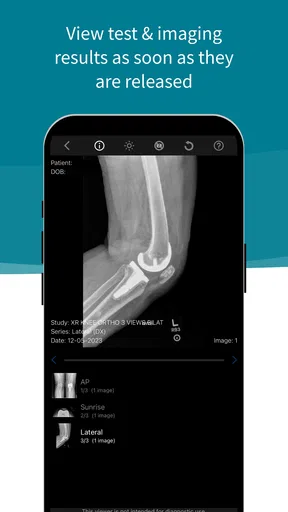
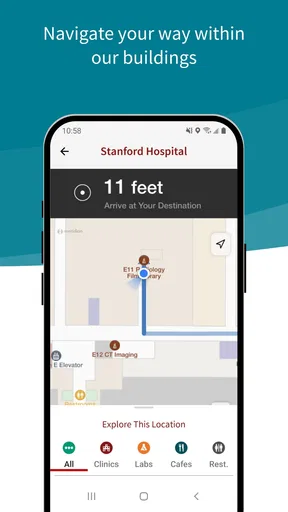
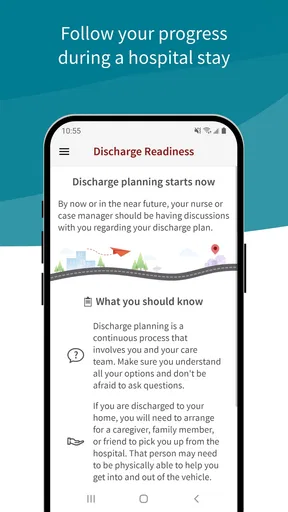
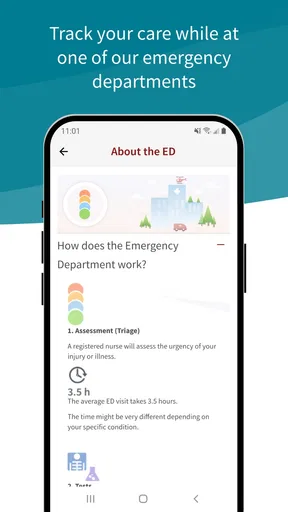
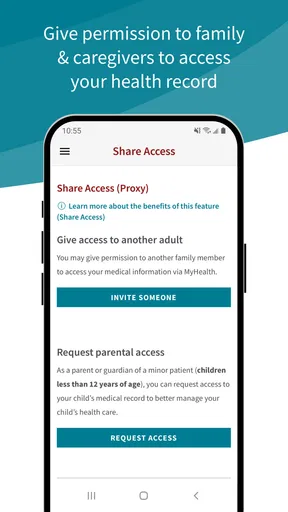
 Analysis by AppCompare
Managing medical care is rarely difficult because of one dramatic task. More often, it is the small interruptions: checking a message from a care team, finding an appointment detail, reviewing a health record, or trying to remember where a previous instruction was stored. Stanford Health Care MyHealth is built for that kind of routine access. I found it most useful as a mobile doorway into Stanford Health Care rather than as a general wellness tracker or an emergency medical tool.
That distinction matters. This is a free medical app from Stanford Health Care, aimed at people who already use that health-care system and want a more convenient way to manage related tasks from an Android device. The app has an Everyone age rating, so its presentation is intended for a broad audience, but the practical value depends far more on whether Stanford Health Care is part of your care experience.
How Stanford Health Care MyHealth feels in everyday use
I find the everyday value of a provider portal is less about checking it constantly and more about having a familiar place to turn when a care task comes up. Stanford Health Care MyHealth makes the most sense when I open it with a purpose—preparing for a visit or organizing a follow-up—rather than treating it as a source of urgent answers. That practical role also raises a useful question: what should I consider before trusting a medical app with routine access?
A practical starting point for routine care
My first impression is that the app makes more sense as a companion to an existing patient relationship than as something to install casually. If you receive care through Stanford Health Care, keeping mobile access available can save you from repeatedly searching through email, browser tabs, or paper instructions. The benefit is not flashy; it is the reduction of small bits of friction when you are already trying to focus on your health.
I would use it before an appointment to review the information I need, after a visit to check for follow-up communication, and during an ongoing treatment period when I want one familiar place for health-care management. Those moments are especially valuable when you are tired, away from home, or helping a family member organize several medical details.
The app is not a replacement for urgent medical attention. A mobile portal can help with ordinary communication and organization, but it should not become the only plan for a serious or time-sensitive symptom. I would still use the appropriate emergency service or direct clinical contact when waiting for an app would be unsafe.
Speed expectations: convenience rather than instant access
For a medical portal, perceived speed is less about entertainment-style animation and more about whether the next useful screen appears without unnecessary confusion. MyHealth is at its best when I already know what I want to do. Opening it with a specific purpose—checking a message, reviewing an appointment, or looking for a record—makes the experience feel more controlled than browsing without a plan.
Worth Reading Before You Choose

EA SPORTS FC Mobile 26 Is a Bigger Football Game, but It Takes Time

Flipboard Shows What News Apps Must Do Beyond the Feed

Switching to Android Auto Means Rethinking Your Driving Routine

Google Calendar Makes a Crowded Week Easier to Manage

Ludo King Makes the Most of the Minutes Between Plans

Baby Panda World Brings Quick Play to Modern Phones, but Its Game Library Feels Busy
There is also an important difference between the app responding and the health-care information being available. A screen can load normally while a message, result, or update still depends on the clinical system behind it. That means I would not judge every delay as a device-performance problem. In a health app, network conditions, account access, and the timing of care-team updates can all affect the experience.
My practical tip is to open the app before leaving for an appointment rather than waiting until you are standing at reception. That gives you time to sign in, confirm that the account is accessible, and locate the information you expect to need. It also avoids turning a small technical interruption into a stressful part of the visit.
Heavy-use moments are usually about organization
The demanding moments for this kind of app are not necessarily long browsing sessions. They are concentrated periods when several health-care tasks arrive close together: preparing for a visit, following a new care plan, checking multiple communications, or helping someone else keep track of their care. In those situations, the app’s value comes from keeping the workflow on the phone instead of scattering it across notes, inboxes, and separate reminders.
I would be careful, however, about treating a patient portal as a complete personal health archive. Even when a record is available inside the app, I would still keep my own simple list of questions and important dates. That preparation makes the visit more productive and protects against the common problem of remembering what mattered only after the conversation has ended.
A useful workflow is to review the app at a calm time, write down anything that needs clarification, and then use the next communication or appointment for those questions. This is more reliable than opening the app repeatedly throughout the day and hoping that a new update will answer everything automatically.
For caregivers, the trade-off is even clearer. A mobile portal can make coordination easier, but access to another person’s medical information should be handled carefully and only through the legitimate account and access arrangements available to that patient. I would not share a password casually or leave the device unlocked after reviewing sensitive information.
Reliability depends on more than the installation
Stanford Health Care MyHealth has been available since December 17, 2015, and the current version is 12.3.1. That history suggests an established product rather than a newly launched experiment. It has passed the scale of a small personal project as well, with over one hundred thousand installs and an average rating of 4.4 from around 2.8 thousand ratings.
Those figures do not guarantee that every session will be perfect, but they do give the app a more reassuring context than an untested portal with little user history. I also view the developer identity—Stanford Health Care—as important here. A medical app is more credible when it is clearly connected to the organization whose care information it is meant to manage.
Still, reliability in this category has several layers. The app can be stable while an account issue prevents access. A phone can be working properly while a network problem interrupts a session. A portal can open successfully while the information a patient expects has not yet been posted. I would separate these situations before deciding that the application itself is unreliable.
My advice is to avoid making the app your sole storage location for anything you may need immediately. For an appointment, keep the address and time available in a separate calendar or note. For a conversation with a clinician, write down key questions independently. This is not a criticism unique to MyHealth; it is a sensible backup habit for any patient portal.
Device constraints and the right audience
The stated minimum operating-system requirement is version 10, which makes the app unsuitable for devices below that threshold. Before installing, I would check the phone’s software version, especially if the device is older or has not received updates recently. A compatible operating system is the first condition for a smooth experience; no amount of troubleshooting can compensate for a phone that cannot meet the requirement.
Resource demands are harder to judge from the app’s purpose alone. I would not expect a medical portal to behave like a graphics-heavy game, but that does not mean every older phone will feel equally comfortable. Available storage, background activity, connection quality, and the general condition of the device can influence sign-in and screen loading. Keeping the operating system current within the phone’s supported range and closing obvious connection problems are sensible first steps when access feels sluggish.
The app is a strong match for Stanford Health Care patients who want mobile access and are comfortable using a phone for administrative health tasks. It is a weaker choice for someone looking for symptom diagnosis, medication education from a broad independent source, fitness tracking, or a universal record that combines every provider automatically. Those needs call for different tools, and installing this portal will not turn it into a general-purpose health platform.
Where it compares well with the usual alternatives
The most obvious alternative is using Stanford Health Care through a mobile browser. A browser can be perfectly adequate, particularly for someone who uses the portal only once in a while or does not want another app on the phone. MyHealth becomes more attractive when repeated access matters and I want a dedicated entry point instead of searching for the correct page each time.
A second alternative is relying on email, paper documents, and calendar reminders. That approach can work for a small number of appointments, but it tends to break down when communication and records become more active. The app’s advantage is having health-care management associated with the provider in one place, while the disadvantage is that it remains tied to that provider rather than serving as a complete cross-provider organizer.
General health apps are also different in purpose. They may be better for exercise logs, nutrition tracking, symptom journals, or wearable data. MyHealth is more appropriate when the question is connected to Stanford Health Care itself. Mixing the two types can work well: use the provider portal for care-related administration and a separate tool for personal tracking, rather than expecting one app to do both jobs.
Small habits that make the app more useful
I would begin by deciding what I actually need from the portal. If the goal is appointment preparation, I would review the relevant details in advance and keep a short question list beside me. If the goal is communication, I would check at a predictable time instead of repeatedly refreshing the app. These habits make the app feel faster because they reduce aimless navigation.
I would also test access before a high-pressure moment. A login problem discovered at home is inconvenient; the same problem discovered immediately before a visit is much worse. This is one of the most practical reasons to install and open the app early, even if you do not expect to use it every day.
Another useful trade-off is notification discipline. Medical updates can be important, but constant interruptions can make health information feel overwhelming. I would keep the app available while choosing a checking routine that fits the urgency of my care. For anything that requires immediate action, I would follow the instructions from the care team rather than assuming a notification alone is enough.
Finally, I would treat the phone as a private object when using the app. Avoiding casual password sharing, locking the screen, and signing out when appropriate are simple behaviors that matter more in a medical portal than in an ordinary shopping or entertainment app.
Who should skip it
I would skip Stanford Health Care MyHealth if I do not receive care through Stanford Health Care and have no account or practical reason to use its patient services. The download is free, but free installation does not create a relationship with a provider or populate a record that is not connected to the system.
I would also look elsewhere if my main goal were emergency guidance, broad medical research, remote monitoring across several hospitals, or detailed lifestyle tracking. A provider-specific portal is valuable precisely because it is focused. That focus is a strength for the right patient and a limitation for everyone else.
People who dislike managing accounts on a phone may prefer the browser or direct assistance from the provider. The dedicated app can simplify repeated access, but it does not remove the need to remember account details, maintain a compatible device, or deal with ordinary connection problems.
My performance verdict
After considering speed, heavier-use situations, reliability, and device requirements, I see Stanford Health Care MyHealth as a focused and sensible medical companion rather than an all-in-one health application. Its strongest quality is relevance: for a Stanford Health Care patient, it puts routine care management closer at hand and can reduce the clutter surrounding appointments and communication.
The app’s established release history, current version 12.3.1, and broad user adoption make it feel like a mature option in its narrow role. It is free, rated for Everyone, and developed by Stanford Health Care, which gives the product a clear purpose and a recognizable point of responsibility. At the same time, those positives should not be confused with a promise of instant access in every situation. Health records and clinical messages depend on more than the phone alone.
My recommendation is straightforward: install it if Stanford Health Care is part of your regular care and you want a dedicated mobile route to related tasks. Prepare for important visits outside the app, keep a backup of essential logistics, and use direct medical help when a situation is urgent. For the right patient, Stanford Health Care MyHealth is a practical everyday tool; for someone seeking a universal health dashboard, a diagnostic service, or a fitness tracker, Stanford Health Care MyHealth is simply the wrong category of app.
Pros
- Secure access to appointments
- test results
- messages
- and medical records.
- Prescription refill requests and medication details are easy to manage.
- Supports video visits for eligible patients without visiting a clinic.
- Health information can be shared with approved caregivers or providers.
- Useful notifications help track appointments
- results
- and care updates.
Cons
- Some features may be limited to Stanford Health Care patients.
- Certain test results can take time to appear after being processed.
- Video visits require a reliable connection and compatible device permissions.
- The app may require frequent sign-ins or identity verification for security.
- Older devices may experience slower performance or compatibility issues.
FAQs for Stanford Health Care MyHealth
What is Stanford Health Care MyHealth?
Stanford Health Care MyHealth is a patient portal app and online service that helps you manage your care through Stanford Health Care. After signing in, you can review parts of your medical record, view test results, request or manage appointments, communicate with eligible care teams, check medications, and access billing information. The exact features available may depend on your relationship with Stanford Health Care and the services you use.
How do I sign in to Stanford Health Care MyHealth?
You generally sign in using your Stanford Health Care MyHealth username and password, and the service may request additional verification for security. New users usually need to complete registration with information provided by Stanford Health Care, such as an activation code or identity verification details. If you forget your credentials or have trouble accessing your account, use the recovery options or contact Stanford Health Care support rather than creating multiple accounts.
Can I use the app to schedule appointments and contact my doctor?
The app can provide appointment-related tools, but availability may vary by department, provider, appointment type, and your patient status. In supported cases, you may request or schedule appointments, review upcoming visits, receive reminders, and send secure messages to participating care teams. Messaging is not intended for emergencies, and replies may not be immediate. For urgent symptoms, contact a medical professional or emergency services.
Can Stanford Health Care MyHealth show test results and medical records?
MyHealth can give you access to many portions of your electronic health record, including laboratory results, visit information, medications, allergies, immunizations, and clinical notes when they are released through the portal. Results may appear at different times depending on the test and Stanford Health Care’s release policies. Portal information should be reviewed with your clinician, especially when a result is abnormal or difficult to understand.
Is Stanford Health Care MyHealth free and safe to use?
The MyHealth app is generally free to download, although normal mobile data charges may apply, and healthcare services or bills are not automatically free. It uses account authentication and security measures intended to protect personal health information, but you should still use a strong password, enable available verification options, keep your device updated, and avoid signing in on shared or public devices. Always download it from an official app store.


